


The toolset behind the work.
These are the platforms that cover most of what we ship — from the cloud underneath to the data platform to the products on top.
Deep expertise & long track record
We would rather go deep on a short list than wide on a long one. Most of what is here has been in our hands for years — through production incidents, migrations and the versions that came after — and several of the systems built on it have been running for more than a decade.
One SaaS workspace over OneLake: Data Factory pipelines land into Delta parquet, Lakehouse and Warehouse sit on the same storage, and Power BI reads it in Direct Lake mode instead of importing another copy. Shortcuts let us reference data in place across workspaces and clouds, so the compute gets consolidated without having to move the storage first.
Best practice
- One workspace per project, with dev, UAT and prod separated and never shared.
- OneLake as the single storage layer — reference data in place with shortcuts rather than copying it between workspaces.
- Semantic model first: measures, dimensions and row-level security defined before the first report.
- Lakehouse for raw and Silver layers; Warehouse only where the consumer is strictly SQL.
- Capacity sizing reviewed monthly — Fabric capacity is the dominant cost line.
Suggested use cases
- Migration from legacy Data Factory, Analysis Services and Power BI into one unified Fabric workspace.
- New-build data platform for a Microsoft-shop client, with OneLake as the single storage layer.
- Consolidated reporting across finance, operations and logistics on one capacity.
- Self-service question answering via Fabric Data Agents over a properly modelled semantic layer.
- Right-sizing exercises, replacing a sprawl of Azure data services with one Fabric capacity.
AI in this platform
Copilot in Power BI for first-draft visuals and DAX, and Fabric Data Agents for natural-language questions over the semantic model. Used as an accelerator and a self-service surface — never as the source of a regulated number.
CI/CD
Fabric Git Integration source-controls workspace items — notebooks, pipelines, semantic models, reports — and Deployment Pipelines promote them through dev, UAT and prod. Pull requests are reviewed by a senior engineer before merge to main.
Semantic layer discipline, applied on every platform we work on: star schemas, conformed dimensions, and DAX measures defined once in a shared model rather than retyped per report. Row-level security lives in the model, releases move through deployment pipelines, and Direct Lake against import is decided per dataset on refresh cost and latency.
Best practice
- Star schema, always. Snowflakes only where the source genuinely demands them.
- DAX measures over calculated columns; calculated columns over edits to the base table.
- The semantic model is a separate artifact from the reports — versioned, tested and owned.
- Row-level security through directory groups, never hardcoded usernames.
- Refresh-on-demand as a Power App for monthly close, partitioned by business area.
- Best Practice Analyzer rules enforced before any release.
Suggested use cases
- Executive and operations dashboards on any modelled source — Fabric, Databricks, Synapse or on-premise SQL Server.
- Self-service BI with row-level security for geographically distributed teams.
- The refresh-on-demand Power App pattern for finance during monthly close.
- Power BI Embedded inside operational applications, so the report sits where the work happens.
- Migration from legacy SSAS Tabular models to semantic-model-first patterns under Git.
AI in this platform
Copilot accelerates report authoring, and the natural-language Q&A layer reads the modelled semantic layer — which makes it only as good as the model beneath it. Assistants read measures, not raw tables. AI proposes a measure; an engineer reviews and approves it before release.
CI/CD
The .pbip project format under Git, with Tabular Editor scripts running semantic-model unit tests and metadata checks. Deployment through the XMLA endpoint or the Deployment Pipelines API. The activity log is monitored so unused reports get retired rather than preserved.
Medallion architecture on Delta Lake — bronze raw, silver conformed, gold serving — with Unity Catalog carrying lineage, access control and audit across workspaces. Auto Loader and Structured Streaming for incremental ingestion, MLflow for experiment tracking and the model registry, and job clusters sized per workload rather than one pool left running.
Best practice
- Medallion architecture applied consistently — Bronze raw, Silver clean, Gold business.
- Delta Lake everywhere; no Parquet-only tables in production.
- Unity Catalog for governance across catalogs, schemas, volumes and lineage — never workspace-only.
- Workflows for orchestration and Jobs for production runs; notebooks for exploration only.
- Cluster policies and tagged compute, so the bill can be read at the end of the month.
- Photon on Silver and Gold where the query volume justifies it.
Suggested use cases
- A 10TB+ medallion lakehouse consolidating multiple subsidiaries for a regulated bank.
- A multi-business data lake spanning grocery, e-commerce and pharmacy — one platform, separate domains.
- SSAS, SSIS and SQL Server modernisation onto a governed Databricks workspace.
- Production ML — credit-risk scorecards, demand forecasting, anomaly detection — with full Unity Catalog lineage.
- Joint teams with in-house engineers, where certified expertise accelerates an existing platform.
AI in this platform
Databricks Assistant and the SQL editor copilot for ad-hoc query authoring, Mosaic AI for the model lifecycle where ML is in scope, and Lakehouse Monitoring for drift detection. AI is applied where it has an auditable home: Unity Catalog lineage covers prompts, inputs and outputs alongside the data.
CI/CD
Databricks Asset Bundles for everything — notebooks, jobs, pipelines, clusters, permissions — all as code, deployed per environment with environment-specific variables through Azure DevOps or GitHub Actions. Pull-request validation runs notebook tests and Delta Live Tables checks before merge.
Layered models — staging, intermediate, marts — with schema and data tests that fail the build rather than the dashboard. Sources declared with freshness thresholds, incremental models where a full refresh is no longer viable, and docs and lineage generated from the same code, so a number can be traced to its origin without asking anyone.
Best practice
- Layered models: sources, then staging, intermediate and marts.
- One model per file, with strict naming — stg_, int_, fct_, dim_.
- Tests on every model: at minimum not_null, unique and relationships on keys.
- Sources declared explicitly with freshness checks — never a select from an undeclared table.
- Documentation in YAML for every column that matters; the generated docs are the contract.
- Incremental models for anything large, with explicit unique keys.
Suggested use cases
- SQL-first Silver and Gold modelling on Databricks, Fabric Warehouse, Synapse or Snowflake.
- Documentation-as-code that survives a team handover, because the generated docs are the contract.
- Test-driven transformations for finance reporting, where the audit trail matters.
- Lineage from raw source through to Power BI exposure, for governance and impact analysis.
- Metrics defined once and reused across BI tools and notebooks.
AI in this platform
LLM-assisted model authoring with the project context loaded, useful for boilerplate and first-pass documentation. We never accept AI-generated SQL without test coverage on the model and a reviewer signing off — and AI does not get to write both a model and the tests for that model.
CI/CD
Slim CI on every pull request builds and tests only the changed models and their downstream. dbt run and dbt test are required before merge; dbt docs are generated and published on every main-branch deploy. Manifest comparison between branches surfaces breaking changes, and production runs are orchestrated from Airflow, Databricks Workflows or Data Factory depending on the wider platform.
Managed model hosting inside the client's own tenancy: provisioned throughput where latency is part of the product, content filters and guardrails on the way in and out, and traces kept on every call. Model choice stays behind our own interface, so switching provider is a configuration change rather than a rewrite.
Best practice
- Model access behind our own interface, so a provider or version change is configuration rather than a rewrite.
- Everything inside the client's own tenancy — prompts, retrieved context and outputs never leave the account that owns the data.
- Guardrails on both directions of the call: content filters on the way in, schema validation on the way out.
- Provisioned throughput only where latency is part of the product; on-demand everywhere else, so idle capacity is not paid for.
- Traces kept on every call — prompt, retrieved context, model version, tokens and outcome — because an answer you cannot reconstruct is not auditable.
- Cheapest capable model first, escalating to a larger one only when the task warrants it.
Suggested use cases
- Assistants and agents for regulated businesses that cannot send data to a third-party endpoint.
- Retrieval over internal document stores — contracts, policies, procedures — with answers cited back to the source.
- Batch extraction and classification over documents and free-text fields, run as a pipeline rather than a chat.
- Replacing per-seat AI tooling with the equivalent capability inside the client's own cloud account.
- Model evaluation and selection: running the same task across several models on the client's real data before committing.
Model choice
The point of a managed model platform is that the model is a dependency rather than an architecture. Keeping selection behind our own interface means a cheaper or better model can be adopted when it appears, and a deprecated one retired, without touching the product around it. Evaluation is done on the client's own data — a benchmark score is not evidence about your documents.
CI/CD
Infrastructure through Terraform like everything else. Prompts, tool definitions and retrieval configuration live in Git and are reviewed as code. An evaluation suite runs in CI before release, covering accuracy, refusal behaviour and cost per task, and a model-version change is staged rather than swapped in place. Production traces are sampled back into the evaluation set so drift shows up before a user finds it.
Model Context Protocol servers over governed semantic models and systems of record, so an assistant answers from the same definitions the dashboards use. Tools are scoped with explicit allow-lists, outputs are validated against a schema rather than parsed out of prose, and an evaluation set has to pass before a prompt or model change ships.
Best practice
- MCP servers built over governed sources — semantic models, Unity Catalog, dbt metadata, document libraries — never raw tables.
- Domain-scoped: finance reads the finance MCP, operations the operations one, with access control enforced at the MCP layer rather than after it.
- Read by default; any write or mutating action requires explicit human confirmation.
- Source-cited answers, so every number traces back to a measure, a table and a query.
- Prompt observability — a full audit log of who asked what, what was retrieved and what was returned.
Suggested use cases
- Daily morning briefings for finance, operations and commercial teams over governed data.
- Conversational analytics on semantic models, so non-technical staff get the same answer the dashboard would give.
- Cross-document research over contracts, regulator filings, internal reports and transcripts.
- “Why did this number move?” — managers exploring variance without filing a ticket.
- An onboarding companion that has read the team's playbooks, procedures and architecture documents.
What changes for the business
An analyst's morning starts with a written briefing rather than a blank dashboard. A non-technical manager can ask why a number moved without filing a ticket. Cross-document research that took an afternoon happens in a conversation. The reports do not go away — but the audience for the numbers underneath them gets several times larger.
CI/CD
MCP servers are versioned and deployed as services, with Terraform for infrastructure and GitHub Actions or Azure DevOps for build and release. Prompt patterns and tool definitions are reviewed like code. An evaluation suite covering accuracy, hallucination rate and refusal behaviour runs before each release, and production conversations feed back into it to catch drift.
Nothing we build is tied to one cloud — the AI, data and software work all run on any of the three. The harder question is which one fits: what your strategy already commits you to, what your infrastructure is set up for, and what it costs to stay there. That is the part we help with.
Best practice
- A landing zone before workloads: identity, network boundaries and policy defined first, so the first project does not become the template by accident.
- Managed services over self-hosted unless there is a specific reason — the cost of running something yourself is paid every month, not once.
- Proprietary services at the edges, portable ones at the core, so a future move is a project rather than a rebuild.
- One identity provider across clouds; federated access rather than a separate set of credentials per account.
- Cost tagged to project, environment and owner from day one — an untagged bill cannot be argued with.
- Everything provisioned through Terraform, so an environment can be rebuilt rather than repaired.
Suggested use cases
- Choosing where a first data or AI platform should live, when the decision has not been made yet.
- Building on the cloud a client's strategy already commits them to, rather than the one we would pick unprompted.
- Groups that have inherited different clouds across subsidiaries and need one operating model over them.
- Cost review and right-sizing, where the bill has grown faster than the workload.
- Migration of an on-premise estate, staged so reporting and operations keep running throughout.
How we choose
Rarely on the technology. The questions that actually decide it are what your strategy has already committed to, what your team can operate on a Tuesday afternoon, where your data is allowed to sit, and what it costs to stay. Our AI, data and software work runs on all three, so we have no stake in the answer — which is the only useful position to advise from.
CI/CD
The same pipeline regardless of provider: plan on every pull request, apply only on merge behind environment-specific approvers, policy-as-code blocking changes that should not reach production, and drift detection so an environment stays as it was last reviewed.
Everything from subscriptions and resource groups to Databricks workspaces and Fabric capacities expressed as versioned modules, with remote state, plan-on-pull-request and apply gated behind review. Environments get rebuilt from the repository rather than repaired by hand, so development, staging and production cannot quietly drift apart.
Best practice
- Everything in code — subscriptions, directory groups, networks, Databricks, Fabric, model platforms, MCP infrastructure. No manual portal changes in production.
- Modules over copy-paste: a reusable library for the configurations we deploy repeatedly.
- Remote state with locking, encryption and versioning. Never local state in production.
- Environments separated by workspace or directory, not by swapping variables in one file.
- Plan in CI; apply only through an approved pipeline with environment-specific approvers.
- Secrets in a key vault, referenced through data sources — never written into .tf files or state.
Suggested use cases
- Day-one client environment standup — network, identity, capacity, Databricks workspace, Fabric capacity — in days rather than weeks.
- Reproducible provisioning across multiple portfolio companies.
- Multi-environment promotion gated by policy-as-code.
- Cost-tagged infrastructure, so the month-end bill reconciles to project, environment, owner and cost centre.
- Drift detection, so production stays as last reviewed and an unauthorised change surfaces the next morning.
AI in this platform
LLM-assisted module authoring with the project context loaded, useful for boilerplate and first-pass documentation. AI-generated infrastructure changes do not bypass plan, review or approval.
CI/CD
terraform fmt, validate and plan on every pull request, with apply only on merge to main and environment-specific approvers gating dev, UAT and production. Policy-as-code blocks dangerous changes, and state is backed up, locked and audited.
ASP.NET Core services with Entity Framework Core over PostgreSQL or SQL Server, Hangfire for background and scheduled work, containerised on top. Idempotent handlers and outbox patterns where a payment must not be processed twice, integration tests against a real database rather than mocks, and PHP where an existing estate is better extended than replaced.
Best practice
- API-first design: every capability exposed as a versioned, documented API before any UI consumes it.
- EF Core with explicit migrations, reviewed like any other schema change — nothing auto-applied in production.
- Background work with idempotent jobs, retry policies and dead-letter visibility.
- Structured logging and correlation IDs end to end, so a transaction is traceable from a tap on a phone to a settlement record.
- Long-term support releases only in production, with upgrades staged through UAT behind full regression suites.
Suggested use cases
- Payment and fintech platforms — loan management, credit scoring, settlement, reconciliation.
- Self-service merchant, partner and admin portals with role-based access.
- High-volume transactional APIs with strict auditability requirements.
- Long-horizon products that will be maintained for a decade rather than a quarter.
AI in this platform
LLM-assisted code generation under spec-driven development: specification first, tests second, generated code third. Adversarial review on anything an LLM produced, and nothing merges without a senior engineer.
CI/CD
Build plus unit and integration tests on every pull request, with Docker images promoted through dev, UAT and production behind environment-specific approvers. Database migrations go through the same gated pipeline as the code.
TypeScript throughout, with a shared component library behind merchant portals, admin consoles and customer-facing products. App Router with server components where a page is mostly read, client state kept deliberately small, and accessibility part of done — focus management, keyboard paths and reduced-motion handling included.
Best practice
- TypeScript everywhere — no untyped production JavaScript.
- Component libraries shared across portals, so merchant, partner and admin views stay consistent.
- State kept close to the server: query-cache patterns over sprawling client state.
- Accessibility checked as part of review, not as a launch-week scramble.
- Design tokens shared with UX, so the Figma file and the build do not drift apart.
Suggested use cases
- Self-service portals over .NET APIs — onboarding, management, reporting.
- Internal admin and operations consoles with real-time oversight.
- Customer-facing web apps where conversion depends on speed and polish.
- Embedded analytics surfaces, with Power BI Embedded inside a product UI.
AI in this platform
LLM-assisted component scaffolding and test generation, within the constraints of the design system. Generated UI code goes through the same review and accessibility checks as anything written by hand.
CI/CD
Lint, type-check and unit tests on every pull request, with a preview deployment per branch for design review. Production builds are promoted through the same gated pipeline as the backend.
One codebase across iOS and Android, dropping to native modules only where the platform genuinely demands it. Offline-tolerant flows with a local store and queued mutations for the places connectivity cannot be assumed, and over-the-air updates for the changes that do not need to wait on a store review.
Best practice
- One codebase across iOS and Android, with platform-specific code isolated behind interfaces rather than scattered through the app.
- API clients generated from the same specification the backend publishes, so a contract change breaks the build instead of a screen.
- Credentials in the Keychain or Keystore — never in shared preferences or local storage.
- Offline-tolerant flows with explicit sync semantics: a payment is either submitted or it is not, never “probably”.
- Accessibility checked in review — screen reader navigation, scaling text, contrast and target size — not audited after launch.
- Crash and ANR monitoring as a release gate, with staged rollouts halted automatically on a regression.
Suggested use cases
- Consumer fintech that has to ship to both stores in lockstep, sharing models and validation with a .NET backend.
- Telco and utility self-service apps — balances, top-ups, invoices — where the job is an errand rather than entertainment.
- Products with a hard accessibility requirement, built to WCAG AA and tested with the screen readers people actually use.
- Replacing an app nobody opened, where the rebuild follows the user's journey rather than the old menu structure.
- Field and operations apps that must keep working where connectivity cannot be assumed.
AI in this platform
LLM-assisted screen scaffolding, binding code and test generation, inside the constraints of the existing design system. On-device inference where the data should not leave the phone. Generated code is reviewed adversarially and nothing ships without a senior engineer — the same rule as everywhere else.
CI/CD
Lint, type-check and unit tests on every pull request. Signed builds produced in CI only, with signing keys never on a developer laptop. TestFlight and Play internal testing for UAT, then a staged production rollout gated on crash-free session thresholds. Over-the-air updates for changes that genuinely do not need to wait on a store review.
Open source & AI tooling
MTK Agent Toolkit
Applies your team's coding standards, security policy and review discipline to AI-generated code, through language-agnostic workflows with pluggable tech stacks. Supports .NET, Python and TypeScript.
View on GitHub →Warp
A unified runtime for background jobs, pub/sub queues, in-memory mediation and streams, consolidating the roles of Hangfire and MediatR into a single dependency — with no Redis, no RabbitMQ and no separate scheduler.
View on GitHub →work-tree
A cross-platform CLI for managing git worktrees across multiple repositories: an isolated workspace per branch, multi-repo groups, and your coding agent launched automatically. Available via Homebrew.
View on GitHub →Beacon
Alerts and notifications that surface the signals worth acting on and route them to the right people, rather than relying on threshold-based noise.
View on GitHub →Recognized by industry leaders
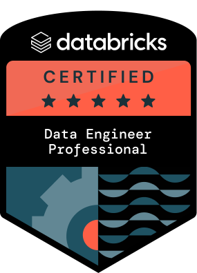
Databricks Certified
Data Engineer Professional
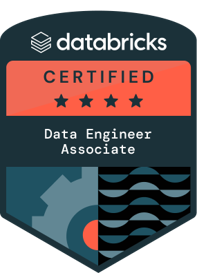
Databricks Certified
Data Engineer Associate

Anthropic
Claude Certified Architect — Foundations

Microsoft Certified
Azure Solutions Architect Expert

Microsoft Certified
Fabric Analytics Engineer Associate
Microsoft Certified
Fabric Data Engineer Associate
Microsoft Certified
Azure Data Engineer Associate
Microsoft Certified
Azure Data Scientist Associate
Microsoft Certified
Azure Database Administrator Associate
Microsoft Certified
Power Platform Developer Associate
Microsoft Certified
Azure Administrator Associate
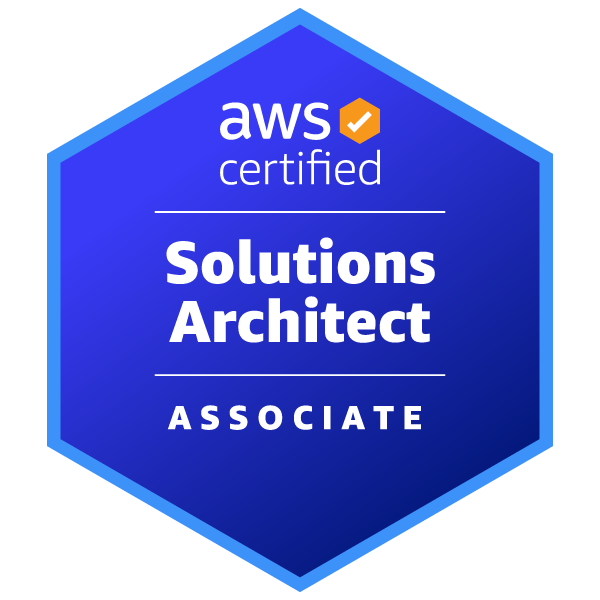
AWS Certified
Solutions Architect — Associate
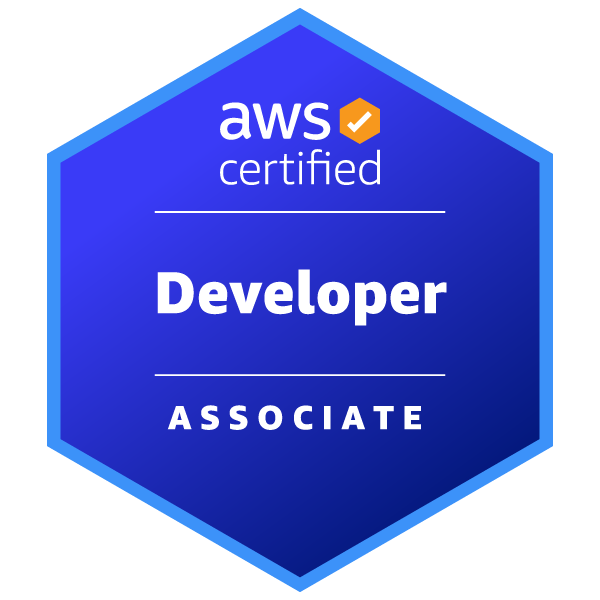
AWS Certified
Developer — Associate